Introduction
Your production order is due tomorrow, but output is falling behind schedule.
The plant manager wonders if the issue is with material availability, the machine going down, or pending quality clearance.
Finding the answer may require checking inventory records, maintenance history, quality information, and updates from different teams.
An agentic AI workflow can help investigate situations like this.
It can gather relevant information, determine what needs to be checked next, and recommend an action based on what it finds.
For operations leaders, building an agentic AI workflow raises many questions.
- Which process should you start with?
- Is your operational data ready?
- How will AI connect with your existing systems?
- What decisions should remain with employees?
- How will you know whether the investment is working?
This blog will take you through the process of setting up agentic AI workflows for your business, from start to end.
What Is an Agentic AI Workflow?
An agentic AI workflow is a business process in which an AI agent works toward a defined goal. It reviews information, decides what to do next, and uses approved business systems or tools.
Consider the delayed production order we discussed earlier.
The agent could first check the work-order status in the MES.
- If production stopped at a particular operation, it could review machine downtime.
- If equipment is available, it might check whether the required material was issued.
- If material is available, it could examine quality holds or another possible cause.
The approach changes depending on what the agent discovers.
This ability makes agentic workflows useful for processes involving operational exceptions, investigations, changing conditions, and information spread across business systems.
Agents are generally better suited to such situations.
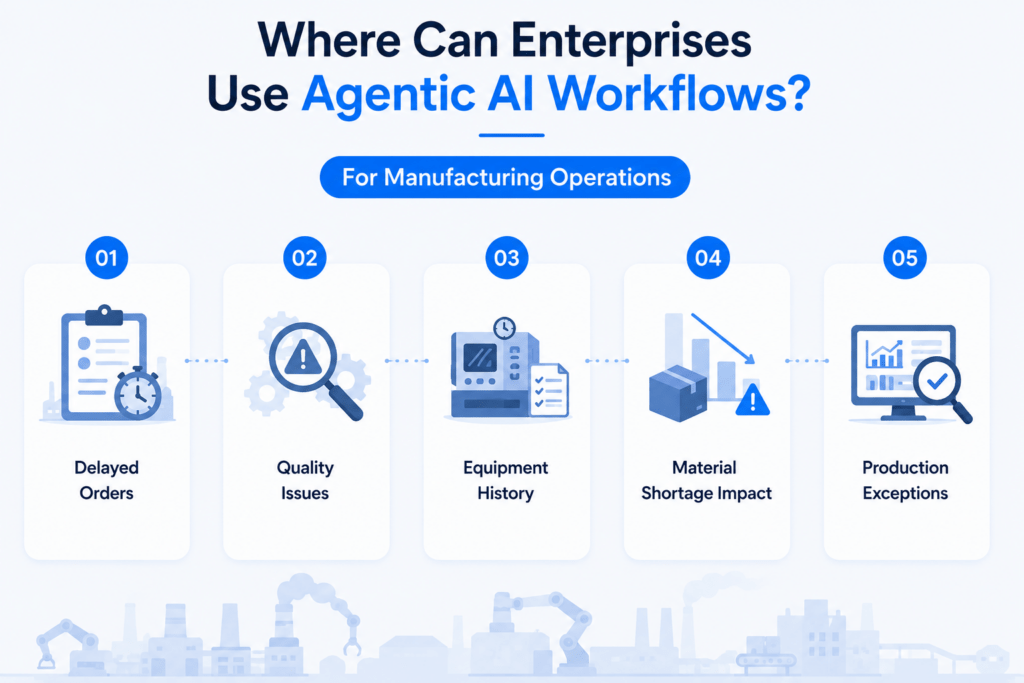
Where Can Enterprises Use Agentic AI Workflows?
Companies should look for tasks where experienced employees regularly need to gather information and determine what happened before deciding what to do.
For manufacturing operations, here are some use cases:
- Investigating delayed work orders
- Examining recurring quality problems
- Reviewing equipment history after repeated failures
- Assessing how a material shortage will affect production
- Evaluating production exceptions before changing priorities
Manufacturers can also use agentic AI beyond the plant floor.
For example, when a customer requests a non-standard equipment configuration, an agent could retrieve previous configurations, pricing information, product specifications, and engineering requirements to support the quotation process.
In healthcare administration, an agent could help investigate recurring appointment delays by reviewing schedules, available resources, cancellations, and administrative bottlenecks.
The deciding factor? Nature of the work.
When employees already follow the same steps every time, conventional workflow automation may be sufficient.
When the next step depends on what is discovered, an agentic workflow becomes worth considering.
How to Build an Agentic AI Workflow in 7 Steps
Step 1: Choose one problem in your operations
Start with a specific problem your employees spend time solving.
For example:
Problem: Production managers spend too much time investigating delayed work orders.
Goal: Help managers identify the likely cause of a delay faster.
Expected impact: Reduce investigation time and enable earlier corrective action.
Other strong candidates may have frequent exceptions, require employees to search several systems, depend heavily on documents or unstructured information, or have accumulated complicated business rules over time.
Starting with a focused use case also gives you something concrete to measure.
Step 2: Review how the process works today
Before deciding what the AI should do, understand what your employees already do.
For a delayed work order, document:
- What alerts the production manager to the delay?
- What information do they look for?
- Which employees or departments do they contact?
- How do they determine the cause?
- What action can they take?
- Which decisions require someone else’s approval?
Include the people who perform the process every day. Production planners, operators, quality teams, maintenance employees, and supervisors often know exceptions that are missing from formal process documents.
Existing SOPs, policies, and operating instructions can also help define how the agent should handle common situations and exceptions.
Step 3: Check if your data is AI ready
An agent can only make useful decisions when the information it relies on is dependable.
Before connecting AI, check:
Completeness: Work-order status, inventory, quality, and maintenance records should be updated.
Consistency: The same part, machine, supplier, or order should be using consistent identifiers across systems.
Accessibility: The required information should be easy to retrieve from maintenance systems, documents, or other sources.
Timeliness: The information should be updated to help agents make decisions.
This step is important in manufacturing environments where production information may be divided between spreadsheets, paper records, and employee knowledge.
Poor data can turn a promising AI workflow into another source of unreliable information.
Step 4: Decide what the agent can access and do
Once you know what information the process requires, decide what the agent should be able to access.
For a production-delay workflow, the agent might need read access to:
- MES work-order information
- ERP inventory records
- Production schedules
- Equipment and maintenance history
- Quality holds
- Approved SOPs
After giving access to the agent, define its actions.
During an initial deployment, the agent could simply gather information, identify likely causes, and present its findings to the production manager.
As confidence grows, it could be allowed to prepare a maintenance request, draft a production update, or notify the appropriate employee.
Access should reflect the task. An agent investigating why an order is late does not automatically need permission to reschedule production.
At a basic level, an agent requires three things:
- A model to interpret the situation and make decisions
- Tools that provide access to information or permitted actions
- Instructions defining how it should operate.
Step 5: Define the agent’s instructions and boundaries
The agent needs clear instructions about its responsibility. For example:
Goal: Identify the likely reason a work order is behind schedule.
Review: Production progress, material availability, equipment status, maintenance history, and quality holds.
Provide: Likely cause, supporting information, and recommended next action.
Escalate: Send the case to the production manager when information is missing, records conflict, or the proposed action could affect the production schedule.
Instructions should also cover common exceptions.
- What should happen when inventory information is missing?
- What if the MES and ERP show conflicting information?
- What if the agent cannot determine the cause?
These boundaries help keep the workflow useful when real operating conditions differ from the expected process.
Step 6: Decide which decisions require human approval
The level of AI autonomy should reflect the consequence of the action.
An agent investigating a production delay may be allowed to retrieve records, summarize the problem, identify possible causes, and prepare a maintenance request.
A responsible employee may still need to approve actions such as:
- Changing the production schedule
- Releasing a quality hold
- Altering a customer delivery commitment
- Approving a significant price or discount
- Making a decision affecting patient operations
Irreversible actions need human review. The workflow should also return control to an employee when repeated attempts fail, or the agent cannot reach a reliable conclusion.
Step 7: Test the workflow with real cases
Avoid testing only the easiest scenarios.
For a production-delay agent, use previous cases involving:
- Material shortages
- Equipment downtime
- Quality holds
- Incorrect or missing records
- Multiple problems occurring simultaneously
- Conflicting information between systems
Compare the agent’s findings with the conclusions reached by experienced employees.
Testing should also determine what happens when a connected system is unavailable, an employee asks the agent to perform an unauthorized action, or the agent receives incomplete information.
Access controls, authentication, action limits, audit trails, and other guardrails should reflect the risks associated with the workflow.
Should you start with one AI agent or multiple agents?
For your first project, start with one agent.
A single agent can use several tools to retrieve information and complete a focused workflow. This keeps testing, maintenance, and troubleshooting more manageable.
Multiple agents become useful when the process develops clearly separate responsibilities or becomes difficult for one agent to handle reliably.
A mature manufacturing application, for example, could eventually have specialized capabilities for production, maintenance, quality, and material exceptions.
The number of agents is less important than whether the process requires that additional complexity.
Guidance for agent development similarly recommends maximizing a single agent’s capabilities before moving to multi-agent architectures.
Can Agentic AI Work with Your Existing MES or ERP?
In many cases, yes.
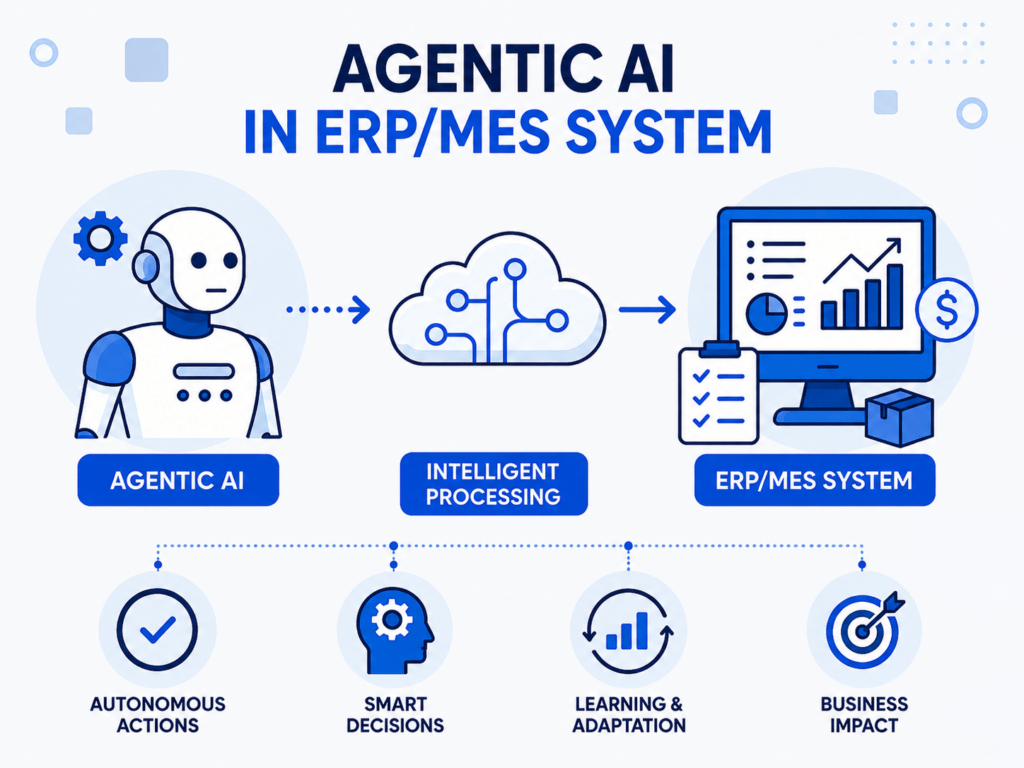
Agentic workflows are generally designed to work with the business systems employees already use, including ERP, maintenance systems, and document repositories.
The agent’s tools provide a connection between the AI and these systems. Depending on the application, those connections may retrieve records, search documents, create requests, update approved fields, or send notifications.
Low-code platforms can also be useful for certain workflows. For example, some low-code applications can combine a trigger, AI agent, model, memory, and connected tools within a visual workflow.
Is agentic AI good for your business? The answer depends on your existing systems, available interfaces, security requirements, and the quality of your data.
Cost of Building an Agentic AI Workflow
There is no standard cost because the complexity of agentic AI projects can vary for your company.
The amount you spend on building agentic workflows depends on:
- Number of system integrations
- Data preparation required
- Complexity of the operational process
- AI model usage
- Security and access requirements
- Custom development
- Testing and monitoring
- Ongoing maintenance
A focused workflow that reads information from your ERP and gives recommendations will usually be less complex than an agent that coordinates production, inventory, quality, maintenance, and customer commitments.
For operations leaders, ROI should therefore be connected to the problem they want to address.
If a production team currently spends most of their time checking delayed orders, they should check whether the workflow is reducing investigation time and helping them start corrective actions sooner.

How Should You Measure Agentic AI Performance?
To measure the performance, set a baseline before deployment.
For a production-delay workflow, useful measures can be:
| Metric | What to Measure |
| Investigation time | Time from identifying a delay to finding its likely cause |
| Manual effort | Employee time spent collecting and comparing information |
| Accuracy | How often the agent identifies relevant causes |
| Escalation rate | How often an employee must complete the investigation |
| Response time | Time before corrective action begins |
| Cost per investigation | AI and system cost for each completed investigation |
A CPQ app developer might instead measure quotation turnaround time, engineering review time, or employee effort required for non-standard configurations.
The KPI should connect directly to the operational problem selected in Step 1.
Common Mistakes When Building Agentic AI Workflows
Using agents where workflows would be better: A fixed approval or notification process may be easier to automate without agentic decision-making.
Starting with poor data: Missing production records, inconsistent part numbers, or outdated inventory information can undermine the agent’s findings.
Giving the agent excessive access: Begin with the information and actions required for the specific process.
Trying to automate an entire department: A focused operational problem is easier to test, govern, and measure.
Ignoring the people who perform the process: Employees understand practical exceptions and dependencies that may never appear in a process diagram.
Measuring AI activity instead of operational improvement: More agent actions or automated tasks do not necessarily mean the process is performing better. Measure time, effort, accuracy, throughput, or another business outcome.
How Inevia Can Help Build Agentic AI Workflows
Inevia works with operations teams to examine processes where employees repeatedly gather information, investigate exceptions, coordinate across systems, or wait for information before acting.
For manufacturers, these opportunities can include delayed work orders, quality exceptions, maintenance coordination, production visibility, and material-related disruptions.
Sales and engineering teams can apply agentic workflows to complex quotation and product-configuration processes.
Inevia can help assess the process, evaluate data readiness, connect relevant systems, develop the workflow, define appropriate controls, and test it against real operating scenarios.
The success of the project can then be measured through investigation time, manual effort, response time, process accuracy, or other operational KPIs.
Conclusion
Your first agentic AI workflow can begin with a problem your team faces every week.
A production manager could regularly checks several systems to understand why an order is late. A quality manager repeatedly investigates similar defects. Or an engineering team spends hours gathering information for unusual customer configurations.
Map how that work happens today. Identify the information employees need.
Decide what the agent can access, what it can do, and where a person needs to approve the next step. Then test the workflow against real cases and measure whether the process improves.
A successful first workflow gives you both the experience and the operational evidence needed to decide where agentic AI should go next.
FAQs
Do I need to replace my MES or ERP to use agentic AI?
Not necessary. Agentic workflows can often retrieve information from and interact with existing systems through available integrations and approved tools.
Does an AI agent need access to all our business data?
No. Access should be limited to the information required for the agent’s specific responsibility.
Can agentic AI make production decisions automatically?
It can be given tools that take actions, but the appropriate level of autonomy depends on the consequences. Actions such as changing production schedules or releasing quality holds may remain subject to employee approval.
Can small and mid-sized businesses build agentic AI workflows?
Yes. A focused workflow involving one operational problem and a limited number of systems can be a practical starting point. The project’s feasibility depends more on the process, data, integrations, and expected value than company size.
How long does it take to build an agentic AI workflow?
There is no universal implementation timeline. A pilot involving one process and a few accessible systems may be relatively straightforward, while projects requiring data cleanup, legacy-system integration, custom security controls, or multiple departments will take longer.
What is a good first agentic AI workflow for manufacturing?
Processes that repeatedly require investigation are strong candidates to assess. Examples include delayed work orders, recurring equipment failures, quality exceptions, and material shortages.
How do I know whether I need agentic AI or regular workflow automation?
Look at what happens when something unexpected occurs. If the process can still follow predefined rules, regular workflow automation may be sufficient. If employees need to gather information, interpret the situation, and determine a different next step depending on what they find, an agentic workflow may be more appropriate.