Bad data can affect reporting, automation, AI outputs, and day-to-day operations. Duplicate records, missing values, inconsistent formats, and conflicting fields often spread across systems before teams realize how much time they are spending correcting them.
A data cleanup strategy helps businesses address these issues in a controlled way, with clear ownership, validation rules, and checks to prevent the same problems from returning.
Here is a brief planning guide for your data cleanup efforts:
- Identify the business decision or workflow being affected
- Map the systems containing the relevant data
- Select the authoritative source for each field
- Profile data quality, assign ownership and remediation rules
- Clean a controlled pilot dataset
- Validate the results
- Correct the processes creating bad data
- Monitor quality continuously
This blog explains how to build that strategy and prepare cleaner, more reliable data for AI and other business systems.
Prevention is always better than cure
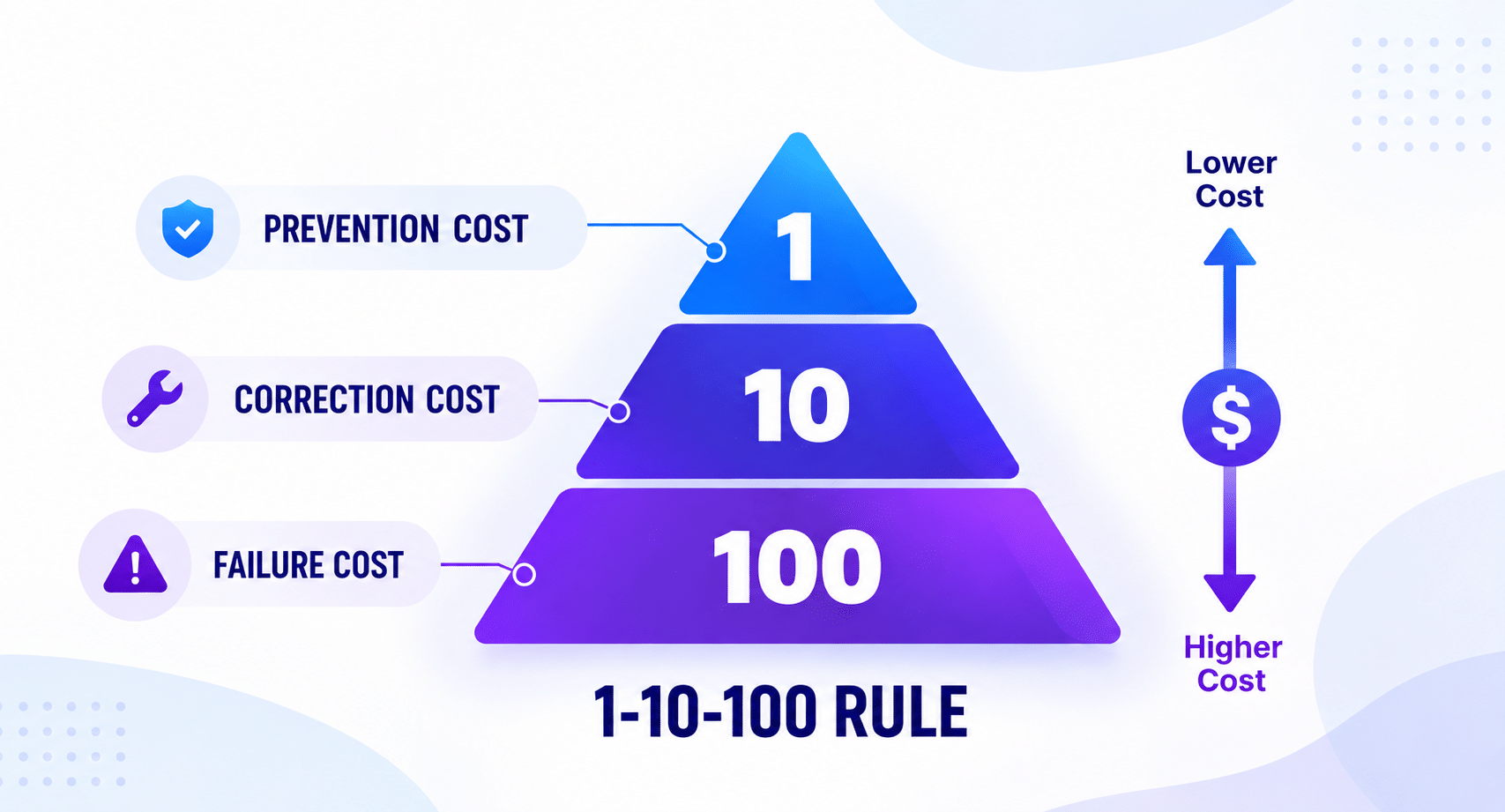
Preventing data issues is generally less expensive than correction or failure. To understand the real financial case for a clean data strategy, here is a heuristic explaining the 1-10-100 Rule of Data Quality:
- $1 to Prevent: Verifying and cleaning data right at the point of entry costs a fraction of a dollar in lightweight validation logic.
- $10 to Correct: Cleaning and deduplicating records later during batch pipeline runs requires extra computing power, specialized tooling, and technical labor.
- $100 to Ignore: Letting bad data sit in production leads to failed campaigns, lost sales, flawed strategic decisions, and massive emergency efforts to patch corrupt databases after damage occurs.
Investing early in prevention steps can save you a lot of time and money. This blog outlines the key steps for planning and running a successful data cleanup strategy.
Why is a solid data cleaning strategy important
Patching bad data on the fly often creates fragile workarounds that break the moment your company scales. A grounded data cleaning strategy connects day-to-day technical health directly to your business goals:
- Protects uptime: Unhandled empty fields or mismatched formatting can bring automated background jobs to a halt, delaying crucial daily reports.
- Keeps apps running fast: Cluttered databases bog down search speeds, which leads to sluggish response times for your customers.
- Restores confidence in analytics: Your leadership team can make big strategic moves knowing the underlying data is reliable.
Frees up engineering energy: Engineers spend less time deciphering error logs and writing defensive workarounds, freeing them up to build what your business needs next.
How to plan a good data cleanup strategy
Before writing transformation code, technical teams and business owners need a shared view of what is wrong, where the problem starts, and which system should be trusted when records conflict.
1. Audit Your Current Data Landscape
Follow how data moves across the business and note where inconsistencies appear. Common examples include duplicate customers across CRM and ERP, outdated SKUs, missing service-history or RMA information, and supplier names entered differently across systems.
This helps identify whether the problem begins at data entry, during integration, or inside the source system itself.
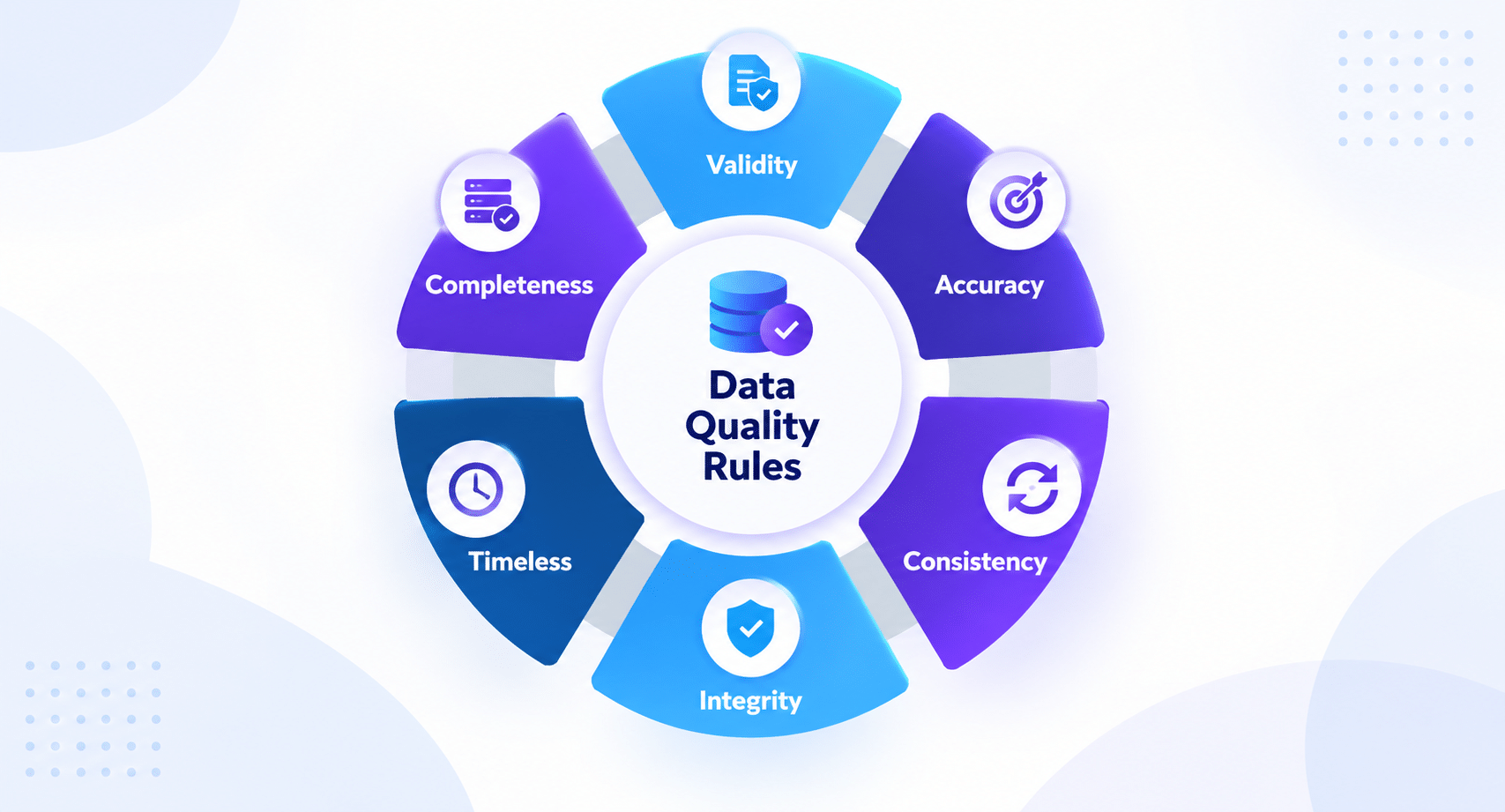
2. Define Clear Data Quality Metrics
Agree on what good data means for the records that affect daily operations.
For example, a customer record may be considered complete only when required fields are populated, while product data may need a valid SKU, description, category, and current status.
Metrics can then track completeness, accuracy, consistency, and duplication over time.
3. Assign Data Ownership and Roles
Conflicting records are difficult to resolve when nobody has authority over them.
A sales team may classify a customer as active based on recent communication, while finance uses recent billing activity. Product and item-master records may also differ between engineering, purchasing, and operations.
Assigning an owner for each data domain helps settle these differences and gives teams a clear escalation path when records need to be merged, corrected, or retired.
4. Establish Standardized Data Rules
Shared rules help prevent cleaned data from becoming inconsistent again.
This may include defining one naming convention for suppliers, deciding when an SKU becomes inactive, setting rules for customer status, and agreeing which system takes priority when RTMs disagree with core systems.
The same standards should cover formats for dates, addresses, currencies, and other fields used across departments.
How to execute a successful data cleanup strategy
Executing a modern data cleaning process works best when it runs like a routine software update: smooth, tested, and automated.
1. Prioritize critical data assets
Focusing effort on high-impact databases yields immediate operational wins. Starting with primary user accounts, active sales pipelines, or billing ledgers delivers clear value without overwhelming technical teams.
2. Standardize and normalize entries
Automated background tasks handle data normalization and data standardization in stride. These routines clean up stray characters, align time zones, and keep text entries uniform across databases.
3. Deduplicate and merge records
Proven data cleaning techniques handle entity matching carefully. Combining exact field checks with smart fuzzy-matching algorithms achieves precise data deduplication without losing important historical customer context.
4. Validate and enrich remaining data
Setting up lightweight data validation and data observability checks keeps an eye on pipeline health as data flows. Connecting verification services helps confirm email deliverability and fill in missing profile details automatically.
Key Safety Measures for Data Cleanup:
- Take a backup before making any system changes.
- Keep a rollback plan ready in case the cleanup causes unexpected issues.
- Maintain an audit trail of every change made.
- Set match-confidence thresholds before merging duplicate records.
- Use human review for uncertain duplicates.
- Define survivorship rules for which value should be retained after a merge.
- Run a pilot on one limited data domain before applying the cleanup more widely.
- Complete post-cleanup validation to confirm that records, relationships, and key fields remain correct.
Summing up
Clean data is not the end goal. The goal is reliable operations, connected systems, and information that people and AI workflows can use confidently. Inevia helps organizations identify where operational data is breaking down, establish trusted sources of truth, and build repeatable processes that prevent the same problems from returning.
Not sure where to begin? Book an Inevia Operations Review to identify the systems, data issues, and workflows creating the greatest operational risk.
FAQs
1. How often should a business perform data cleanup?
Validation works best as an automated, continuous checkpoint at entry. Scheduled batch cleanup routines can run periodically based on how fast your data grows.
2. What is the difference between data cleaning and data scrubbing?
Data scrubbing usually refers to automated scripts fixing or removing bad records in storage. Data cleaning looks at the bigger picture, including fixing the root software bugs that created the bad data in the first place.
3. Can AI automate the data cleanup process?
Using AI data cleaning and smart algorithms makes spotting unusual anomalies and grouping duplicate records much easier. Thoughtful business logic still guides the final decisions.
4. How do I prevent dirty data from re-entering my system?
Catching issues right at the door is key. Clear input validation on user forms and strict schema checks at your API layer keep invalid records from reaching your database.
5. What are the biggest risks of manual data cleaning?
Manual database edits take up valuable team time and carry a high risk of human error, making them hard to audit and risky for overall data safety.