Introduction
Operations data rarely becomes unreliable overnight. Problems build gradually as information moves between systems, employees enter records manually, databases are migrated, and different teams follow their own ways of recording information.
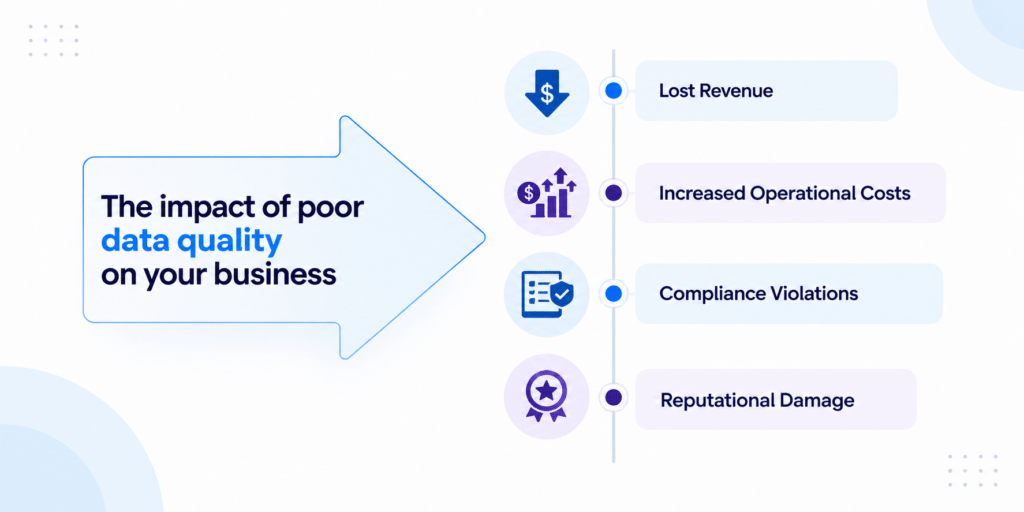
A few duplicate entries or blank fields may not seem serious. But when these problems spread across thousands of records, they can affect reports, forecasts, inventory decisions, customer records, and everyday workflows.
Poor-quality data also becomes a bigger concern when businesses introduce analytics, automation, or AI, since these systems depend on reliable information.
Data cleanup, also called data cleansing, involves identifying and correcting inaccurate, incomplete, duplicate, inconsistent, or irrelevant data.
The goal of data cleanup? To make business data accurate, consistent, and usable.
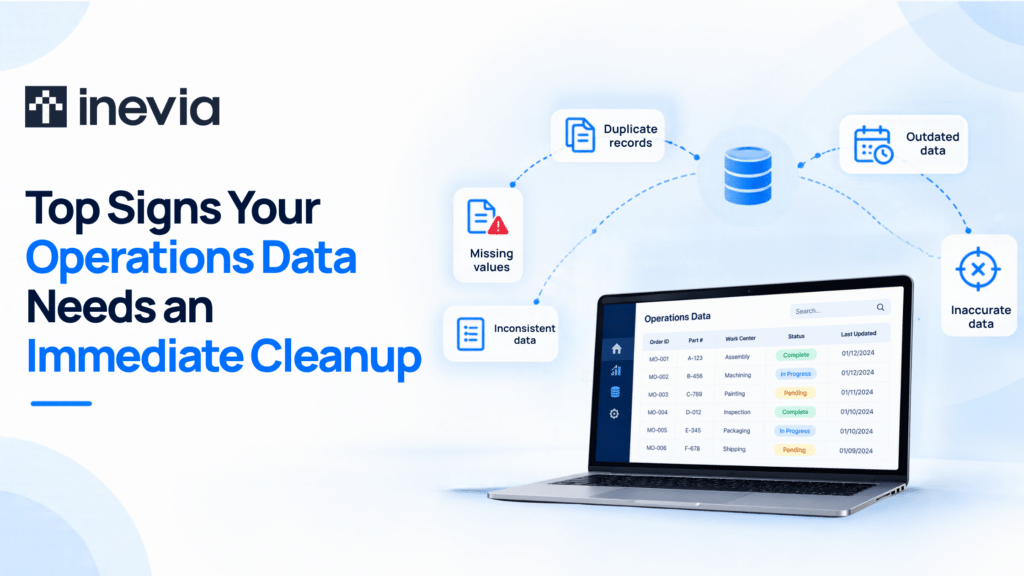
So, how can you tell when routine maintenance is no longer enough? Here are seven signs that your operations data may need immediate attention.
7 Signs Your Data Needs Immediate Cleanup
1. Duplicate records
Finding the same supplier, customer, product, asset, or transaction more than once is one of the clearest signs of poor data quality.
Duplicates commonly appear after:
- System migrations
- Bulk imports
- Integrations
- Repeated manual entries
Your records may not be identical either. For example, “ABC Industries,” “ABC Industries Inc.” and “ABC Ind.” could all refer to the same company.
This makes duplicate data particularly difficult to identify at scale. It can inflate record counts, distort reports, cause repeated communications, and make it difficult for employees to determine which record is current.
A data cleanup process can identify likely matches and merge or remove duplicates. However, matching rules need careful consideration: two similar-looking records are not necessarily the same record.
2. Unusual anomalies and outliers
An outlier is a value that sits far outside the expected range. A production quantity of 50,000 where the normal range is 500–1,000, for example, deserves investigation.
Anomalies can come from:
- Typing errors
- Faulty sensors
- Incorrect units
- Integration failures
- Problems with data processing
These factors can significantly change averages and other calculations, leading to misleading analysis.
Not every outlier is bad data, though. An unusual production spike, transaction, or equipment reading may represent a genuine event. This is why anomalies should be investigated before they are automatically removed.
3. Inconsistent formatting
Small formatting differences create surprisingly large data problems.
One system might store a date as 09/08/2026, another as 8-Sep-26, and another as 2026-09-08. Product names, addresses, units of measurement, currencies, categories, and abbreviations can have similar inconsistencies.
Individually, these variations may still be understandable to an employee. Software is less forgiving. Inconsistent formats make it harder to sort, filter, combine, and analyze information across systems.
Data standardization establishes common formats and naming conventions so that the same type of information follows the same rules throughout the organization.
4. Frequent missing values
An occasional empty field is normal. Large numbers of missing values, particularly in important fields, indicate a deeper data quality problem.
Consider work orders without completion dates, inventory records without quantities, supplier records without identifiers, or transactions without product codes. These gaps can make records difficult to use and weaken the reliability of reports built from them.
The answer is not always to fill every blank. Some fields may be empty legitimately. Data validation helps distinguish acceptable blanks from missing information that should have been captured.
If the same fields are repeatedly missing, it is also worth examining how the data enters the system. The underlying problem may be an optional field that should be mandatory, an integration issue, or a poorly designed process.
5. Misaligned data granularity
Sometimes individual records are accurate, but the datasets still do not work well together.
Suppose production output is recorded by shift, labor costs are available weekly, and another dataset reports defects monthly. Comparing these figures directly can produce misleading conclusions because the information exists at different levels of detail.
The same problem appears when one system stores individual transactions while another provides only regional or monthly totals.
Before combining datasets, teams need to understand the level at which each one is recorded. Data transformation and aggregation can then bring relevant datasets to a comparable level.
6. Contradictory metrics
Ask two departments for the same KPI and compare the answers.
If operations reports one order-fulfillment rate while management sees another on its dashboard, the problem may go beyond inaccurate records.
Teams may be using different source systems, filters, time periods, calculation methods, or definitions.
Contradictory metrics gradually reduce trust in business data. Meetings then turn into discussions about whose spreadsheet is correct rather than what the numbers mean.
Cleaning the underlying data helps, but businesses also need consistent KPI definitions and agreed sources of truth. Everyone calculating a metric differently cannot be solved by deleting duplicates alone.
7. High dependence on manual data entry
Manual data entry does not automatically mean poor data. But the more information employees repeatedly type, copy, or transfer between systems, the greater the opportunity for mistakes.
Typos, skipped fields, inconsistent abbreviations, incorrect classifications, and copy-paste errors accumulate over time. Employees may also create their own spreadsheets when existing systems are inconvenient, introducing another version of the same information.
Frequent manual corrections are an especially useful warning sign. If employees regularly have to fix records before they can complete their work, data quality is already affecting operations.
Validation rules, dropdown fields, automated data capture, and system integrations can reduce unnecessary manual input and prevent many errors before they enter the database.
4 Ways to Resolve Data Inconsistencies
1. Profile and audit your data
Start by understanding the current state of your datasets. Data profiling can reveal duplicates, null values, unusual patterns, invalid entries, and inconsistencies between systems.
Prioritize the issues that affect important business processes rather than trying to correct every record at once.
2. Standardize data
Establish common rules for dates, addresses, units, product names, categories, and other frequently used fields.
Standardization makes data easier to combine and helps prevent different departments from creating incompatible versions of the same information.
3. Validate and automate data entry
Prevention reduces the amount of cleanup required later.
Required fields, format checks, range limits, dropdown menus, duplicate detection, and automated integrations can catch errors at the point of entry. Wherever practical, remove repetitive manual transfers between systems.
4. Establish data ownership
A successful cleanup should not end when the database has been corrected.
Define who owns important datasets, who can make changes, and how data quality will be monitored. Regular data quality checks can catch new problems before they spread across systems.
Conclusion: The Importance of Data Integrity
Clean data is ultimately about trust.
Employees should be able to open a report, check an inventory record, review a customer account, or analyze performance without first questioning whether the information is correct.
Duplicate records, missing values, contradictory KPIs, formatting problems, and frequent manual corrections are signals that this trust is beginning to weaken.
A structured data cleanup can restore accuracy, maintaining data integrity. Clear standards, validation, ownership, integration, and regular monitoring help keep your operations data reliable as your business grows.
The result of data integrity? Data that wins trust and confidence.
Connect with Inevia for your business data cleanup.
FAQs
How often should organizations clean their data?
There is no universal schedule. High-volume or frequently changing datasets may require continuous validation and regular cleanup, while more stable datasets may need periodic reviews.
Rather than relying only on an annual cleanup, businesses should monitor data quality and address recurring issues as they appear.
What is the difference between data cleansing and data enrichment?
Data cleansing focuses on correcting existing data by addressing problems such as duplicates, errors, inconsistencies, and missing information. Data enrichment adds relevant information to existing records to make them more useful.
A company might cleanse a supplier record by correcting an incorrect address, for example, and enrich it by adding additional classification information.
What is the ALCOA+ framework for data integrity?
ALCOA+ is a set of principles used to assess and maintain data integrity. It states that data should be Attributable, Legible, Contemporaneous, Original, and Accurate, as well as Complete, Consistent, Enduring, and Available. These principles help organizations maintain reliable records throughout the data lifecycle, from data creation and entry to storage and use.
What is the cost of data cleanup services?
The cost of data cleanup services varies considerably. Pricing depends on factors such as the volume and condition of the data, number of data sources, complexity of the inconsistencies, level of automation possible, and amount of manual review required.
A small, structured database with straightforward duplicates will generally require much less work than cleaning and reconciling data spread across legacy systems.